


 Short answer
Key facts
Zapier: key facts
Billing, plans, apps and hosting.
| Feature | Zapier |
|---|---|
| Website | zapier.com[1] |
| Pricing page | zapier.com/pricing[3] |
| Billing unit | Tasks[3] |
| What uses a unit | 1 task per action. Triggers, filters, paths and formatter steps use no tasks[3, 4] |
| Entry paid plan | $19.99/mo billed yearly, $29.99 monthly (750 tasks)[3] |
| Yearly billing discount | 31.83% to 33.54% (the page says Save 33%)[3] |
| Plans | Free, Professional, Team, Enterprise[3] |
| No-cost option | Free plan: 100 tasks/mo, two-step Zaps only[3] |
| Integrations | 9,000+ apps (the directory counter shows 10,599+)[1, 5] |
| Hosting | Cloud only[6] |
| Data regions | United States only. No EU data residency[6] |

Overview
Zapier in depth
How Zapier works
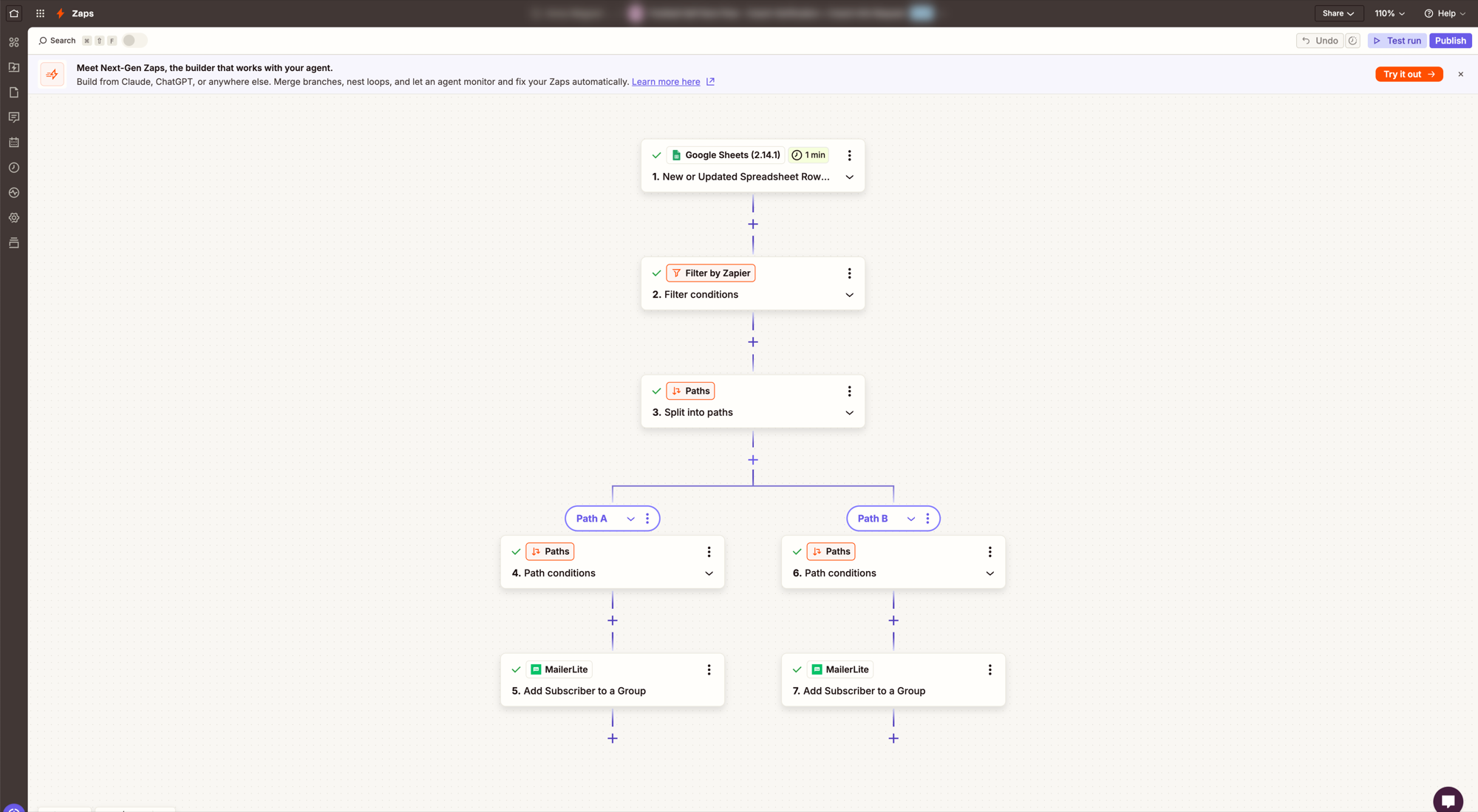
A Zap is a trigger followed by a list of actions. Paths add branches, and a Zap can hold up to 100 steps, counting the steps inside paths. The editor reads top to bottom, so a person who has never built an automation can follow it.[3, 7]
Zapier says it connects 9,000+ apps on its About page, and its app directory counter shows 10,599+. No other platform here comes close to that number. Zapier is often the only platform with a ready connector for a niche SaaS tool.[1, 5]
What you pay for
Zapier bills in tasks. Each action that completes is one task. Triggers, Filter, Formatter, Paths, Delay and Looping use none. A five-step Zap with one trigger and four actions uses 4 tasks per run.[4]
The Professional plan starts at $19.99 a month billed yearly for 750 tasks, or $29.99 billed monthly. Prices climb quickly with volume: 50,000 tasks cost $289 a month billed yearly. AI steps, code beyond the included runtime, MCP calls and SDK calls all draw from the same task pool.[3, 4]
Where it falls short
Zapier stores data on AWS servers in the United States and says EU data residency is an option it does not support. It also says regulated health data, including PHI under HIPAA, is not supported. Teams with strict data location rules should look at Make, n8n, Activepieces or WEXTL.[6]
Cost
What a five-step workflow costs
One trigger and four actions, run 1,000, 10,000 and 100,000 times a month, on the cheapest plan that fits.
| Volume | Zapier |
|---|---|
| 1,000 runs/mo | $133.50 monthly[3, 4]$89/mo billed yearlyProfessional, 5K tasks |
| 10,000 runs/mo | $433.50 monthly[3, 4]$289/mo billed yearlyProfessional, 50K tasks |
| 100,000 runs/mo | $1,899 monthly[3, 4]$1,269/mo billed yearlyProfessional, 400K tasks |
How each number was worked out
The workflow has one trigger and four actions, processes one item per run, and uses no AI or code steps. Each price is the cheapest plan whose allowance covers the volume, from the list price on the vendor pricing page.
Discount for paying yearly
- WEXTL16.67% to 56.14%up to 56.14% off with yearly billing
- Zapier31.83% to 33.54%up to 33.54% off with yearly billing
- Make19.57% to 31.25%up to 31.25% off with yearly billing
- n8n16.67%16.67% off with yearly billing
- Activepieces16.67%16.67% off with yearly billing
Features
Features
Builder, code, error handling, AI agents, MCP and team features.
| Feature | Zapier |
|---|---|
| Builder | Linear list of steps. Next Gen Zaps (early access) add a canvas[3, 8] |
| Branching | Paths, up to 100 steps per Zap[7] |
| Code steps | JavaScript (Node.js 22) and Python 3.13[9] |
| Error handling | Autoreplay and custom error paths on Pro and up, manual replay[10] |
| Versioning | Zap version history and compare on paid plans[3] |
| AI agents | Zapier Agents, billed in activities apart from tasks[3, 11] |
| MCP | Zapier MCP on all plans, 2 tasks per tool call from 5 Jan 2027[4, 12] |
| Users | 1 on Free and Pro, 25 on Team[3] |
| Active workflows | Unlimited Zaps on every plan[3] |
| Templates | Large public template gallery[5] |
| Developer tools | Platform CLI and UI for connectors, Zapier SDK (beta)[3] |
Limits and ratings
Run limits and ratings
Longest run a single workflow can take
- WEXTL24 hours
- Make45 min
- n8n Cloud40 min
- Activepieces10 min
| Review site | Zapier |
|---|---|
| G2 | 4.5/5 (2,173 reviews)[13] |
| Capterra | 4.7/5 (3,083 reviews)[14] |
| Trustpilot | 1.3/5 (335 reviews)[15] |
Pros and cons
Strengths and weaknesses of Zapier
Each point links to its source.
Zapier
Strengths of Zapier
- The largest app directory of the five: 9,000+ apps.[1]
- Triggers, filters, paths, formatter and looping steps use no tasks.[4]
- The simplest builder for a non-technical team: one step after another.[3]
- Code steps in both JavaScript and Python.[9]
- The most reviews of the five on G2 (2,173) and Capterra (3,000+).[13, 14]
Weaknesses of Zapier
- The most expensive of the five at every volume we priced: $1,269/mo billed yearly for 100,000 five-step runs.[3]
- Data is stored in the United States only. There is no EU data residency.[6]
- No self-hosting.[6]
- AI steps cost 1, 3 or 5 tasks by model tier, and MCP tool calls will cost 2 tasks each from 5 January 2027.[4]
- A Trustpilot score of 1.3 from 335 reviews, against 4.5 on G2.[13, 15]
From our client work
What our client work shows
Where Zapier sits in the client automations StartAutomate builds and maintains.
First-hand data from the StartAutomate team, November 2026. It covers the automations we build and maintain for clients, not the market as a whole.[16]
Where our client automations run
- WEXTL30%
- n8n25%
- Zapier18.75%
- Make15%
- Activepieces6.25%
- Claude workflows5%
How the split changed, 2024 to 2026
- Make45% → 15%−30% percentage points, fell
- Zapier30% → 18.75%−11.25% percentage points, fell
- Activepieces10% → 6.25%−3.75% percentage points, fell
- n8n15% → 25%+10% percentage points, grew
- WEXTL0% → 30%+30% percentage points, grew
- Claude workflows0% → 5%+5% percentage points, grew
View as table
| Platform | 2024 | 2025 | 2026 |
|---|---|---|---|
| Make | 45% | 38% | 15% |
| Zapier | 30% | 27.75% | 18.75% |
| Activepieces | 10% | 9.25% | 6.25% |
| n8n | 15% | 22% | 25% |
| WEXTL | 0% | 1% | 30% |
| Claude workflows | 0% | 2% | 5% |
When we pick each one
- Zapier
- We pick it when Zapier has a connector the other platforms lack, the automation is a couple of simple steps and the cost is acceptable to the client.
What it costs in practice
- Clients outgrow Zapier when their workflows get complex, not when they get many. We have clients running dozens of small Zaps with no issues. Cost becomes the problem when another service sends a flood of webhooks: one client adds more than 1,000 contacts a day from ActiveCampaign into review requests, and every one of them is a run.
- We estimate the running cost on each suitable platform up front after a strategy session, with the pros and cons of each, and recommend one platform for each workflow based on its use case. The client makes the final choice, and usually goes with our recommendation.
Building and handing over
- The Shopify to Monday.com workflow we run on both Make and WEXTL took us about the same time to build and stabilize on Make as on WEXTL. On n8n it would take more effort. On Zapier we would not recommend it to the client at all.
- We only build on Activepieces for clients who already use it. Clients outgrow it on deterministic workflows at a point close to Zapier: it comes with complexity.
- Handover to the client team is easier on Make, WEXTL, Activepieces and Zapier. n8n is the hardest to hand over: we document every n8n workflow in detail, all the more because we mostly use n8n for heavy workflows.
- We build that workflow on the platform with a ready connector for the app when the others lack one, which keeps the build simple. Failing that, we call its API with the HTTP step, which all five platforms have. We build our own connectors, such as private Make custom apps, only in rare cases: a custom connector needs its own upkeep, and the client pays for that work.
What breaks and how it gets fixed
- Expired or revoked credentials cause most of the failures we fix, on every platform. It often starts when someone on the client team changes an account. We connect apps through a separate automation account as a rule, but a client admin can still change its permissions and break a workflow.
- Changes in the API of a connected app can break a workflow on any platform, and all of them update their connectors quickly. A fix to a broken n8n node goes through review before it ships in a release, so you wait for it. In practice this is rare: popular apps retire old API versions gradually, and it causes about 1% of the failures we fix, or less.
- How fast a broken connector gets fixed depends most on the company behind the app. Every workflow platform has to wait when that company ships API changes slowly or without a clear changelog.
Maintenance load we see
- Zapier does not suit heavy workflows for us, but the 2 or 3 step Zaps we run on it rarely cause problems. We switch them on and leave them.
Volumes we run
- 150 clients have automations scheduled daily, which comes to at least about 700 runs per client a month.
- Our heavy clients use 300,000 to 400,000 operations a month.
Clients and hosting
- Most clients work in service businesses, barbershops, IT companies and shop owners and e-commerce.
- Main markets: United States, United Kingdom, Europe, Canada and Australia.
- US clients use Zapier far more than clients in our other markets, and prefer it for most simple automations.
- Every automation runs in the account of the client, not in a StartAutomate account. The client owns the workflows, the credentials and the bill, and keeps them if the work with us ends.
Moving between platforms
We move workflows between platforms when it makes sense, and some clients run 2 or 3 platforms at once. The choice is made per workflow more than per client. Make, WEXTL and Zapier are where we test a new idea fast. n8n is the clear pick for long-running and script-heavy workflows. In 2024 and 2025 we moved many clients to n8n: Make had no AI agents until May 2025, and by then n8n had taken that ground for our clients, WEXTL was not yet available, Zapier was too simple for the work, and Activepieces lacked apps we needed. Our largest case was an IT company running about 1 million Make operations a month, moved to n8n before WEXTL existed. Today we would move a client like that to WEXTL.
Screenshots
Inside Zapier
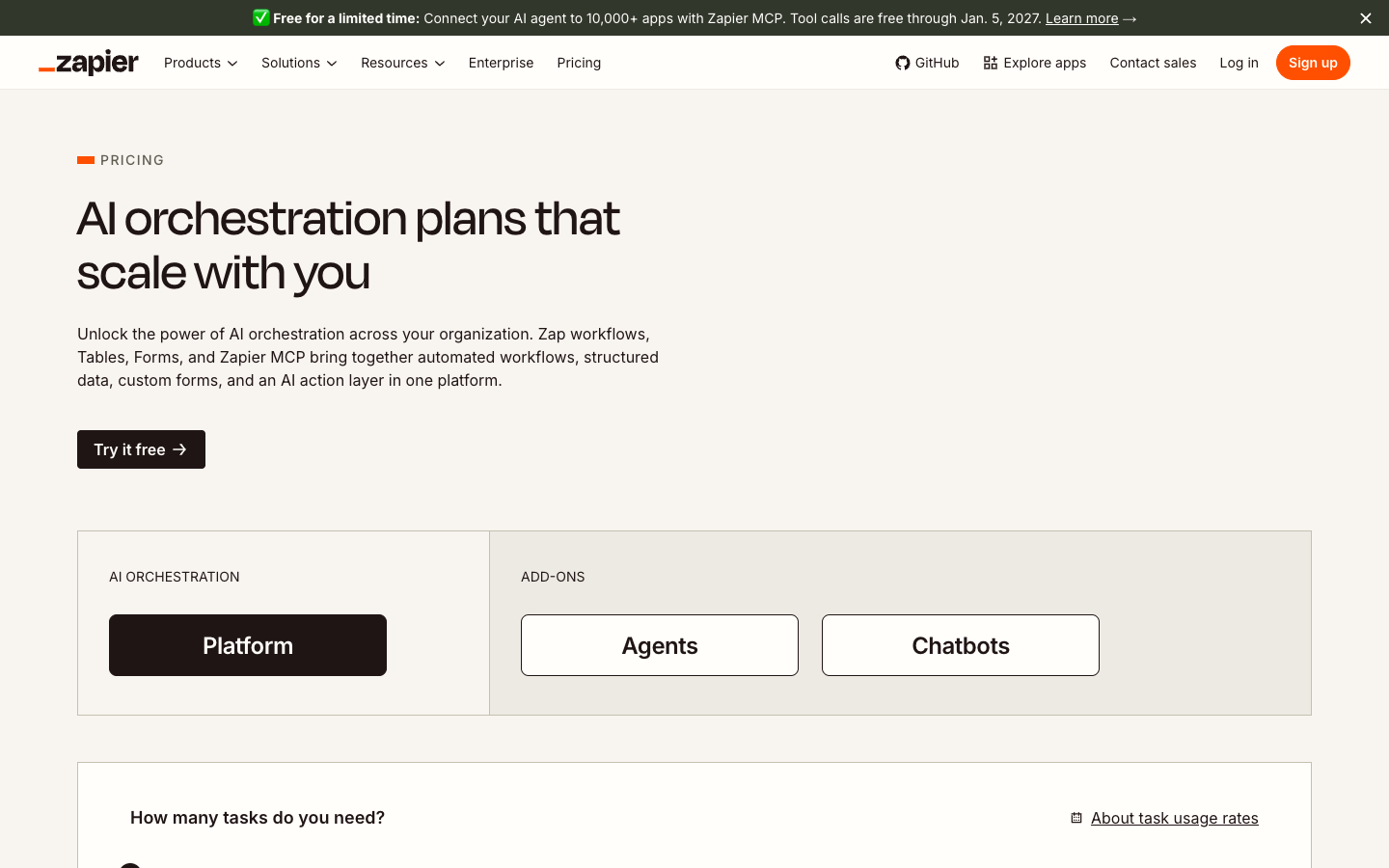
Workflows built by StartAutomate, with names blurred. The Zapier shot shows a shorter Zap, the kind of simple automation we keep on Zapier.
Company and compliance
Company, hosting and compliance
| Feature | Zapier |
|---|---|
| Founded | 2011 as a project, company launched 2012[2] |
| Headquarters | Remote company. Wikipedia lists San Francisco[1, 2] |
| Company and track record | Private and independent, 800+ people in 38 countries[1, 2] |
| Self-hosting | No[6] |
| Source code | Closed source[1] |
| Compliance | SOC 2 Type II, SOC 3, GDPR. HIPAA data not supported[6, 17] |
| SSO | SAML SSO on Team and Enterprise[3, 17] |
Compare
Compare Zapier
Each comparison covers cost, features, performance and which one to pick.




Sources
Sources
Every source was read on the date shown. 17 sources in total.
- About Zapier. Zapier. Accessed 28 November 2026.
- Zapier. Wikipedia. Accessed 28 November 2026.
- Plans and pricing. Zapier. Accessed 28 November 2026.
- Task usage rates. Zapier. Accessed 28 November 2026.
- App directory. Zapier. Accessed 28 November 2026.
- Data privacy. Zapier. Accessed 28 November 2026.
- Zap limits. Zapier Help Center. Accessed 28 November 2026.
- Next Gen Zaps. Zapier Help Center. Accessed 28 November 2026.
- Using Code by Zapier. Zapier Help Center. Accessed 28 November 2026.
- Custom error handling. Zapier Help Center. Accessed 28 November 2026.
- Zapier Agents. Zapier. Accessed 28 November 2026.
- Zapier MCP. Zapier. Accessed 28 November 2026.
- Zapier reviews. G2. Accessed 28 November 2026.
- Zapier reviews. Capterra. Accessed 28 November 2026. Read from a search snippet, the site showed a CAPTCHA.
- Zapier reviews. Trustpilot. Accessed 28 November 2026.
- StartAutomate client work, 2019 to 2026. StartAutomate, first-hand data.
- Security and compliance. Zapier. Accessed 28 November 2026.