

 Your No-code and AI Automation Partner
Streamline Webinar Q&A with Trello
Enhance your webinar experience by automatically logging attendee questions in Trello. This ensures all inquiries are tracked, addressed, and never missed, boosting satisfaction and engagement.

Trigger when a new question is submitted during the webinar.

Automatically create a Trello card for each question.
Assign the question card to the relevant team member.
Update the card status as the question is answered.
- Repeat -
Automation Benefits
Benefits of Integrating Webinajam with Trello
Maximize the effectiveness of your webinars with these key benefits.
Increased Efficiency
Automate question logging to save time and resources.
Better Attendee Experience
Ensure every question is answered, enhancing satisfaction.
Seamless Collaboration
Improve team coordination and response times.
Enhanced Tracking
Monitor question status for accountability and follow-up.
Improved Response Time
Quickly address attendee inquiries during live sessions.
Scalable Solution
Adapt the system to webinars of any size or frequency.
Features
Key Features of the Integration
Unlock the potential of seamless webinar Q&A management with these features.
- 1Real-Time Question Logging
Automatically log every attendee question in Trello as it's submitted.
- 2Efficient Team Collaboration
Assign questions to team members instantly for timely responses.
- 3Comprehensive Tracking
Track the status of each question to ensure none are missed.

Outcomes
Outcomes of Using This Automation
Experience measurable improvements in webinar management and attendee satisfaction.
90%
80%
95%
More Automation Use Cases
Potential Automations for Your Business
Explore what processes can be automated in your HVAC company. Start increasing revenue and growing business from today.
Scale your impact with custom Chat Bots
Book appointments for your customers instantly - based on free slots in your CRM or employee availability. Classify leads before bookings, eliminating unqualified requests - no more wasted time.
Ask me anything and watch how I respond.
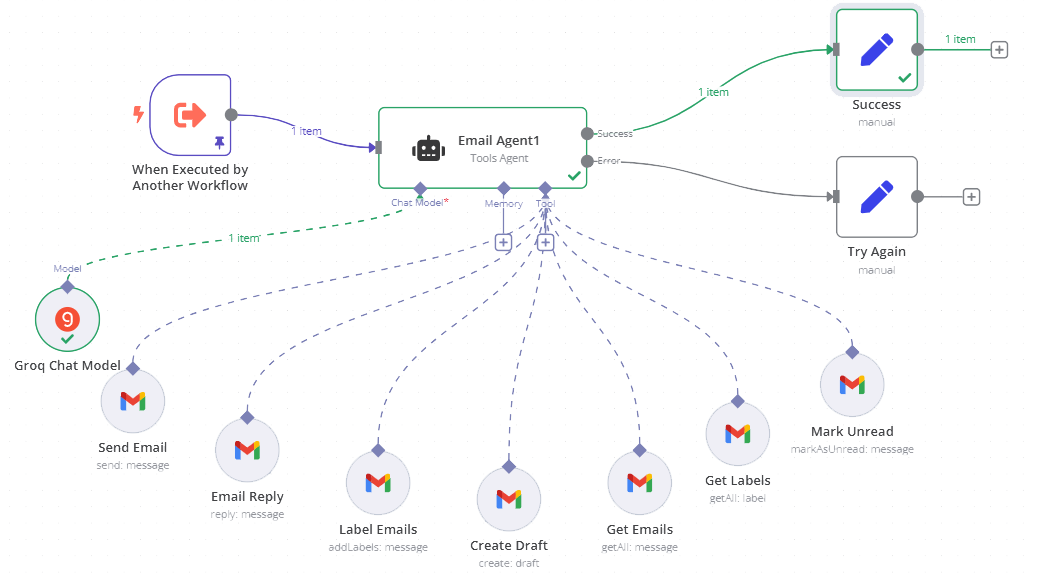
Smart Email AI assistants for your Inbox
From automatic email responses - to scheduling appointments with customers. No manual work, just AI handles your scheduling. Respond to your client emails promptly - based on previous response history, using your writing style.
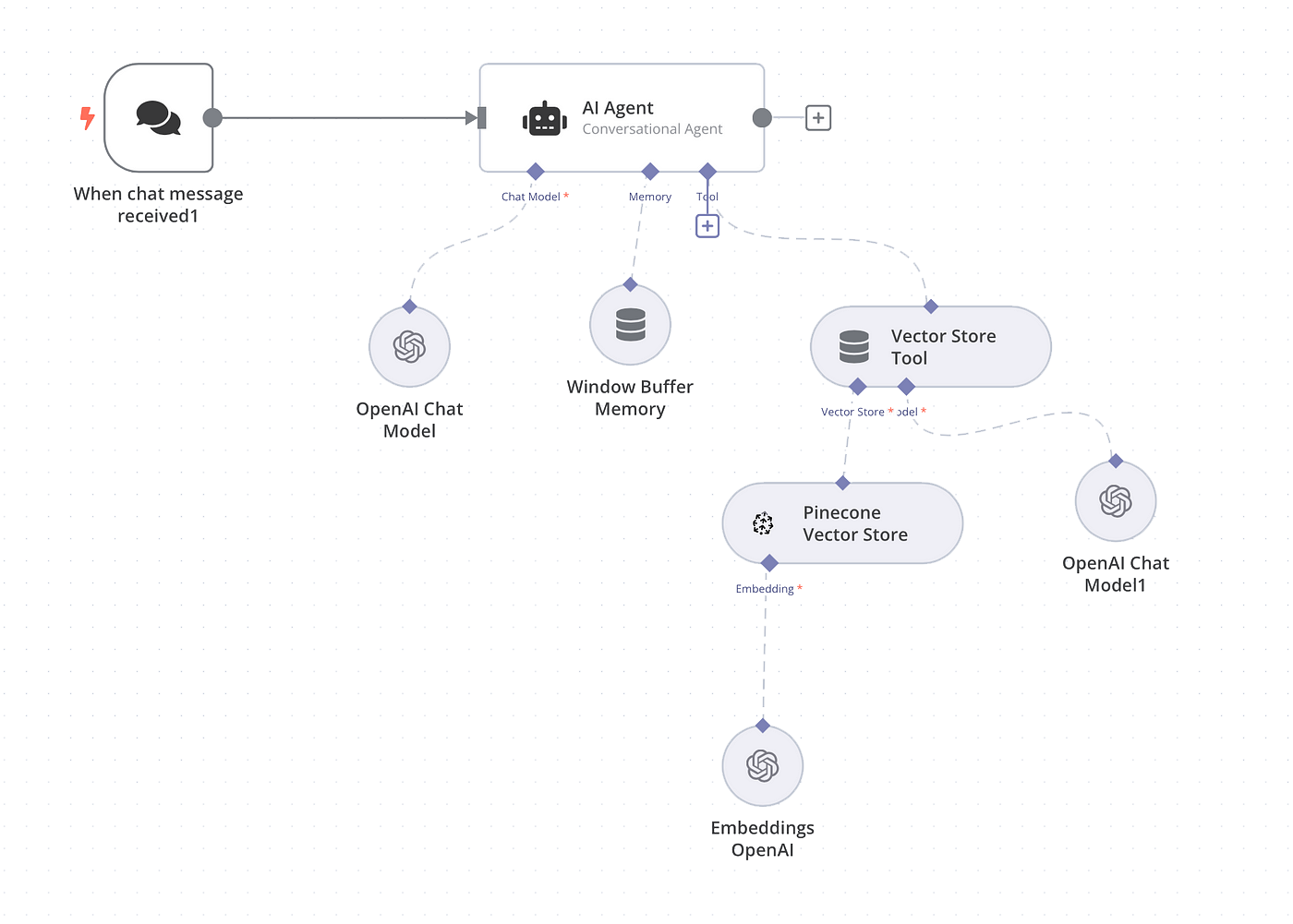
Put your internal knowledge to work with RAG AI
RAG Automation (Retrieval-Augmented Generation) lets AI pull real answers from your documents, databases, or wikis - so you get accurate, context-aware responses every time. Perfect for support, onboarding, knowledge sharing, and internal Q&A.
Frequently Asked Questions
Answers to common questions about integrating Webinajam with Trello for webinar Q&A management.
We Might Have Solved Your Problems Already
Explore Similar Automations
See how you can improve your work process even more by leveraging AI and Automation.






Pricing Plans
Our pricing plans
Choose a plan that is suitable for your needs.
Pay once for build out.
Custom project build (template / blueprint)
You choose platform (n8n, Zapier or Make)
Follows your requirements
Integrates with your systems
Paid after build maintenance
No recurring charges monthly
Pay for build + lower recurring maintenance fee.
Custom project build
We choose best platform
Follows your requirements
Integrates with your systems
Maintenance, priority email / Slack support
Monthly recurring charges, 3+ months contract
Use our pre-built solution with no changes.
Existing solution access (no source code)
No platform selection
Integrates as described / documented
Integrates with specific systems and software
Maintenance, priority email / Slack support
Monthly recurring, 3+ months contract required

Ready to Move Forward?
Join the automation strategy call
You will get guidance what tools to use for your automation idea.
And high level overview how the process would look like from technical perspective.